IDE Configuration
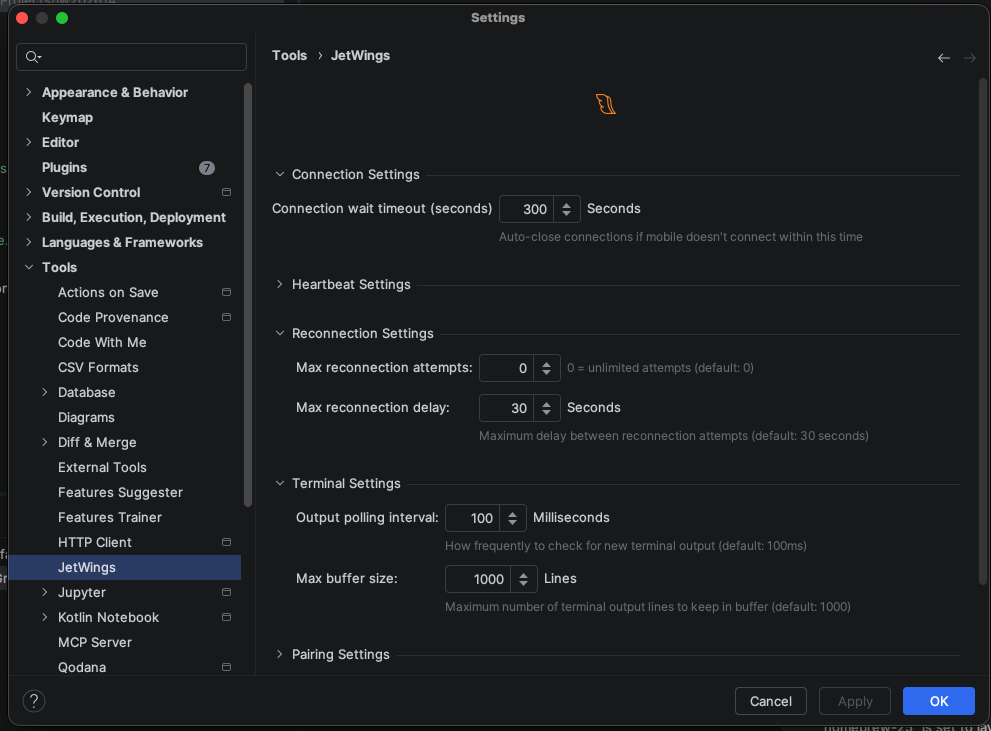
Configure the JetWings plugin in your JetBrains IDE. Open Settings → Tools → JetWings to access all options.
Plugin Tool Window
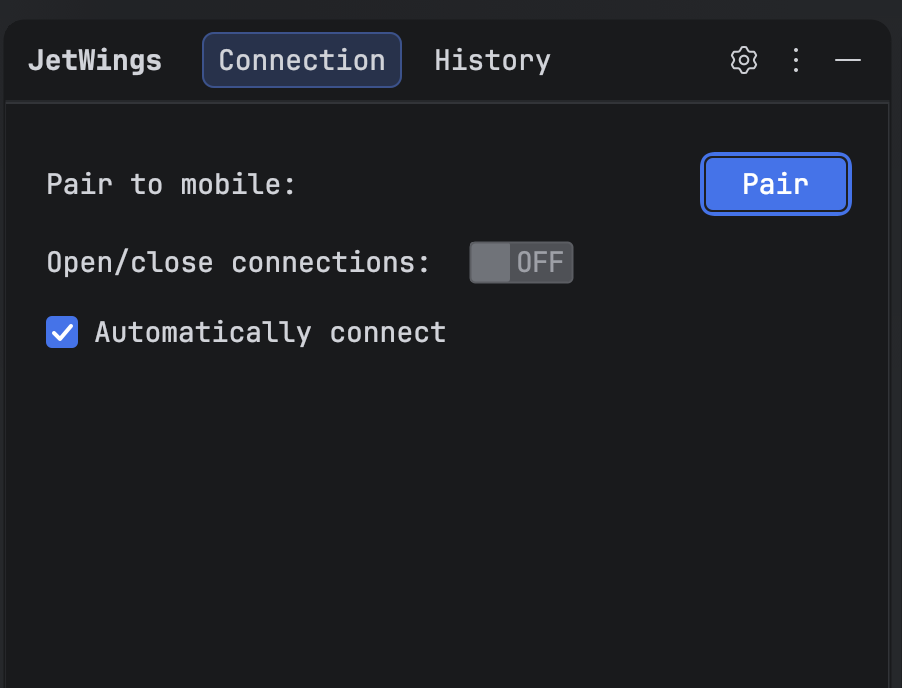
The JetWings tool window gives you quick access to pairing, connection controls, and session history without leaving your IDE.
To open it: Go to View → Tool Windows → JetWings, or click the JetWings icon in the sidebar.
The tool window has three tabs:
JetWings Tab
Shows the current pairing status — whether the plugin is paired with a mobile device and the device's name.
Connection Tab
Controls incoming connections from your mobile device.
- Pair to mobile — Initiates pairing with a new mobile device. A code is displayed in the IDE; enter it on your phone to complete pairing.
- Open / Closed — Toggles whether the plugin accepts incoming connections. When set to Closed, paired mobile devices cannot connect even if they attempt to. Use this to temporarily block connections without unpairing.
- Automatically connect — When checked, the plugin opens connections automatically each time the IDE starts. Uncheck this if you prefer to connect manually.
History Tab
Shows recent session history with connected devices, including past connections and terminal activity. Redesigned in March 2026 for better visibility.
Connection
These settings control how the plugin stays connected to your mobile device.
-
Connection Wait Timeout — How long to keep the connection open while waiting for your phone. If your phone doesn't connect within this time, the connection closes automatically. Default: 5 minutes.
-
Connection Health Check — The plugin periodically checks that the connection to your phone is still active. If it doesn't get a response in time, it assumes the connection was lost and tries to reconnect. The defaults work well for most users.
-
Reconnection — When a connection drops, the plugin automatically tries to reconnect. By default it retries indefinitely, but you can limit the number of attempts if you prefer.
Terminal
- Output Buffer — Controls how much terminal output is kept in memory when streaming to your phone. If you run commands with very long output, you can increase the buffer. Default: 1,000 lines.
Pairing
- Pairing Timeout — How long to wait for you to enter the code on your phone before the pairing request expires. Default: 5 minutes.
Notifications
Choose which events show popup notifications in the IDE.
- Mobile Connection — Get notified when your phone connects or disconnects. On by default.
- Pairing Success — Get notified when pairing completes. On by default.
- Terminal Commands — Get notified when commands are run from your phone. Off by default.