Codecov: Edit and validate codecov.yml
The plugin bundles the Codecov YAML schema, so the editor helps you write the Codecov configuration file. Before you commit, you can let the Codecov server check the file.
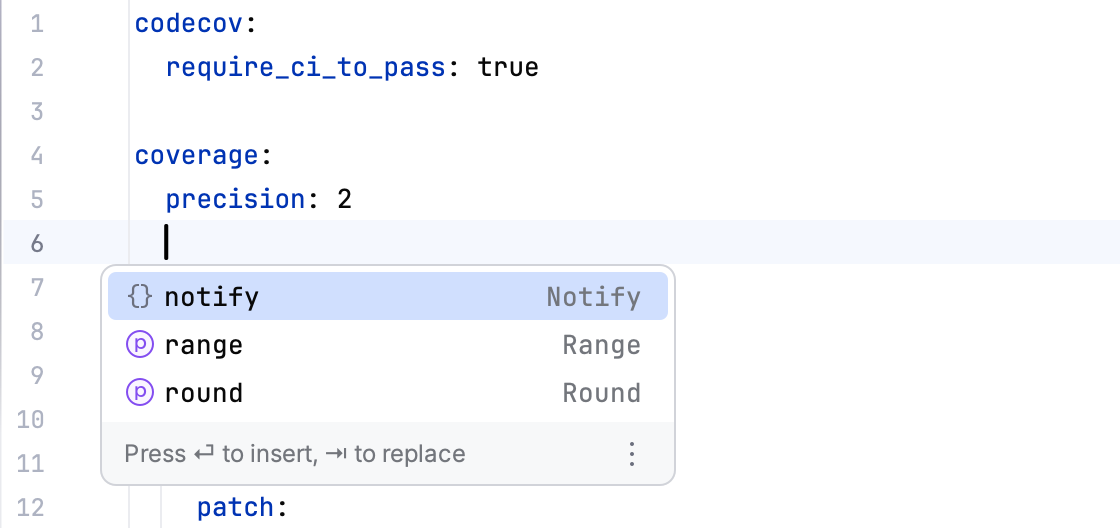
Edit codecov.yml with completion
The schema applies to every .yml or .yaml file whose name contains codecov, such as codecov.yml and .codecov.yml. In these files, the editor offers:
Code completion for keys and values.
Quick documentation for keys.
Highlighting of unknown keys and wrong value types.
The status bar shows Codecov Yaml as the schema of the file, and the Project tool window and editor tabs show the Codecov logo as its icon.
The schema is on by default. To turn it off, clear Inject codecov YAML schema in .
Validate codecov.yml
Validation sends the content of the file to the Codecov server set in Server URL and reports the result. It is offered for files named exactly codecov.yml or codecov.yaml while Inject codecov YAML schema is on. It needs the API token that you set when you connect the project.
Validate the file
Save the file (Ctrl+S, macOS: ⌘ S). Validation sends the saved content of the file, not unsaved changes in the editor.
Right-click codecov.yml in the Project tool window, or right-click in the editor of the open file.
Select Validate Codecov YAML.
A notification reports "Codecov configuration is valid." or "Codecov configuration is invalid." and names the file.
Optional: click View Validation Results to open the full server response as a JSON file in the editor.
If no API token is set, the warning "Codecov API token is missing. Please configure it in Settings." appears instead. If the server cannot be reached, the error starts with "Failed to validate codecov.yml:".