AZD: Create work items
Create a work item
Create a work item
In the AZD Boards title bar, click New Work Item (+).
A New Work Item tab opens in the tool window.
Select the Type, enter the Title, and set the State. These three fields are required.
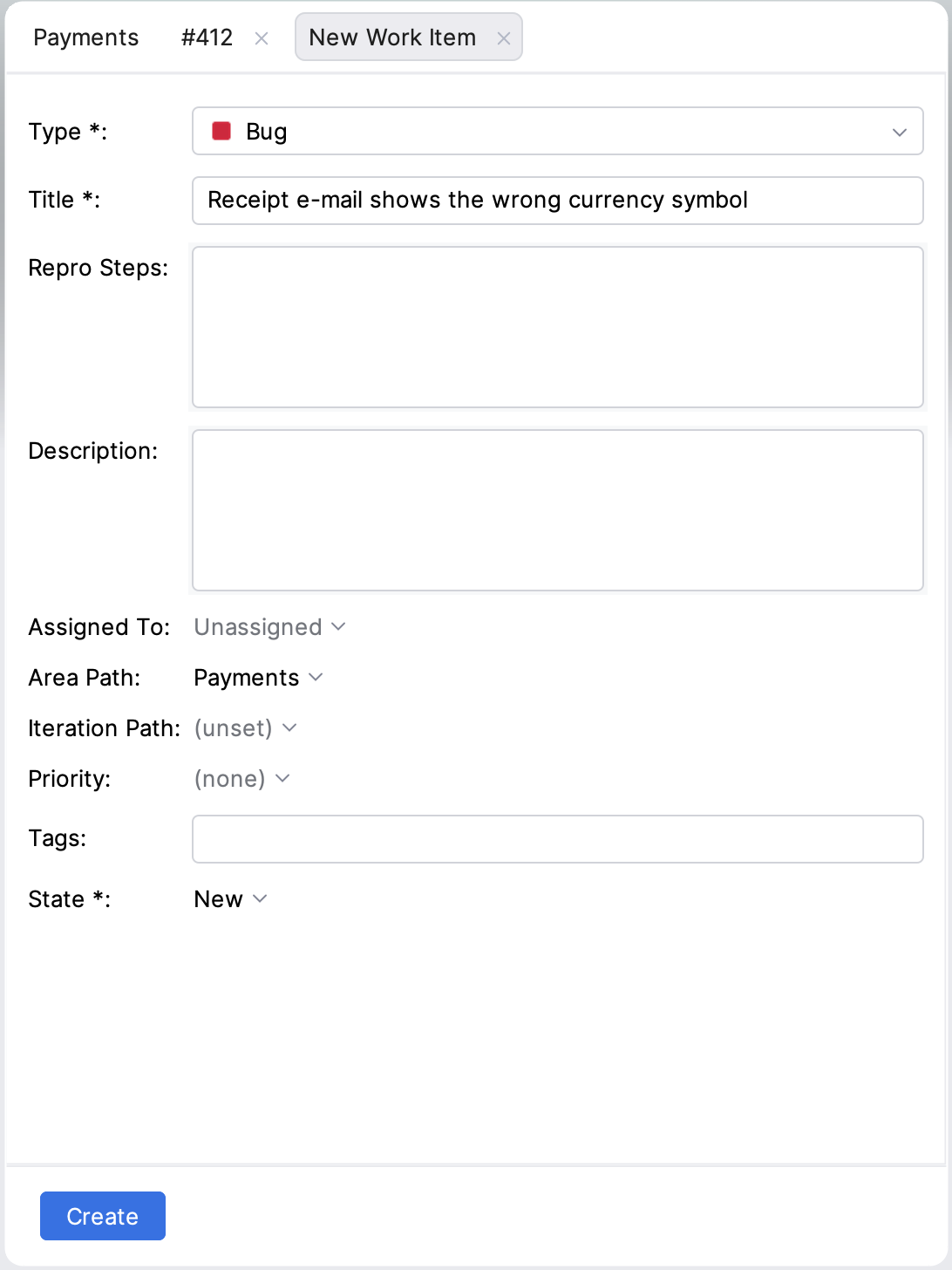
Optional: fill in Description, Assigned To, Area Path, Iteration Path, Priority and Tags. For a type with Repro Steps, such as Bug, a Repro Steps box shows above Description. Line breaks you type in these boxes are kept.
Fill in the fields of the type in the group below, such as fields your process adds.
If the type has a required field that the IDE can't fill in, the field says Not editable here; click Create in Azure DevOps to create the work item in the browser instead.
Click Create.
The new work item opens in its own tab, and the list refreshes. If a value is missing or invalid, the field is highlighted; fix it and click Try Again.
Add a child work item
Add a child work item
Open the parent work item, and in its editor tab select the Children tab.
Click Add child.
The New Work Item tab opens with Child of #<id> at the top.
Fill in the form as for any work item, and click Create.